# Using the Bot

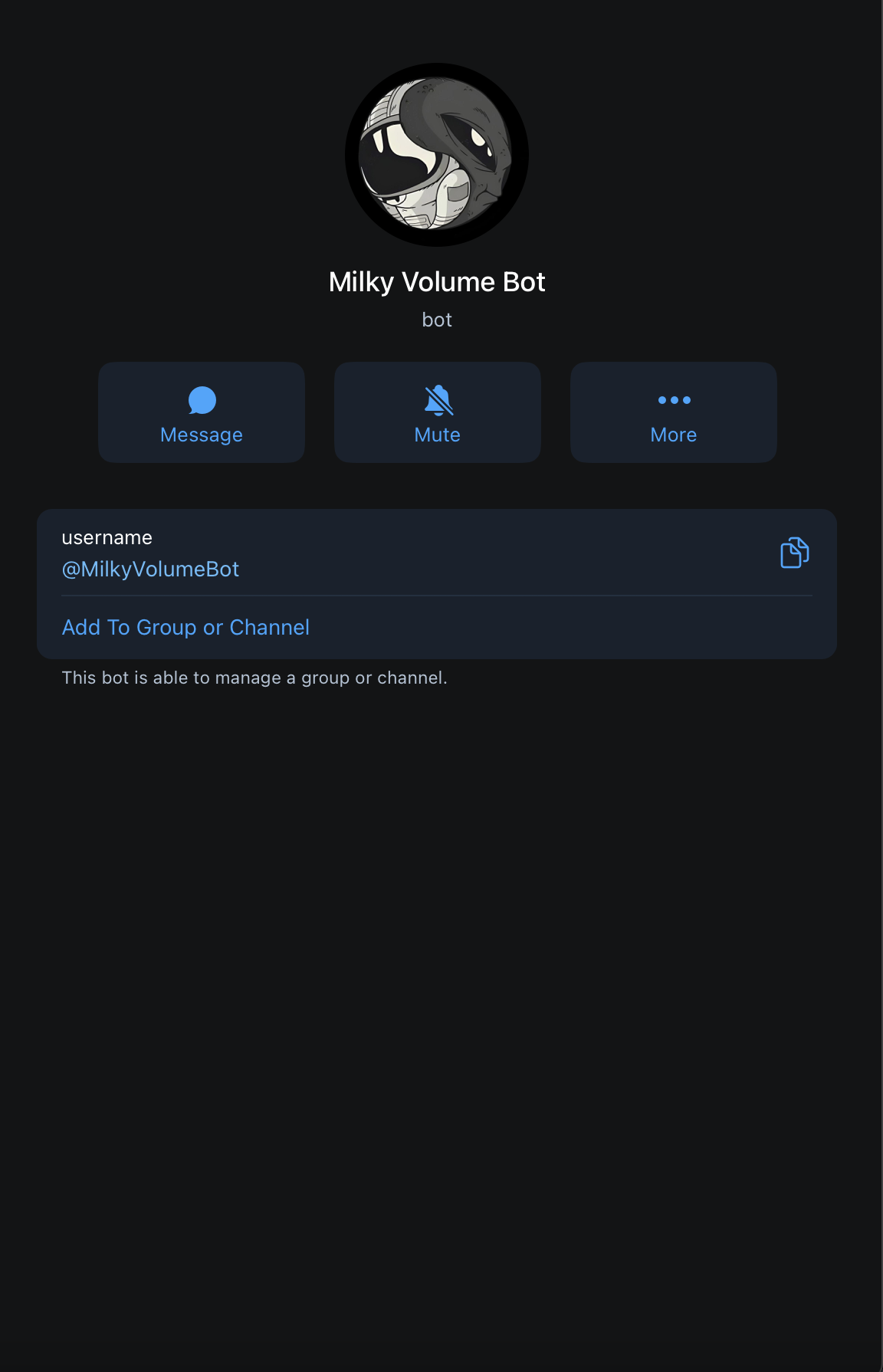
1. Begin by searching for @MilkyVolumeBot on Telegram. Be sure to double check the username and watch for fakes!

<figure><img src="https://2107457992-files.gitbook.io/~/files/v0/b/gitbook-x-prod.appspot.com/o/spaces%2FWOC8vLEj9eoKylJJv8ik%2Fuploads%2FQ7Eb6w9LzGP7cDiZ9iSa%2FScreenshot%202023-09-20%20at%206.45.36%20AM.png?alt=media&#x26;token=597a795d-a42f-4d4a-b517-75251068d713" alt=""><figcaption></figcaption></figure>

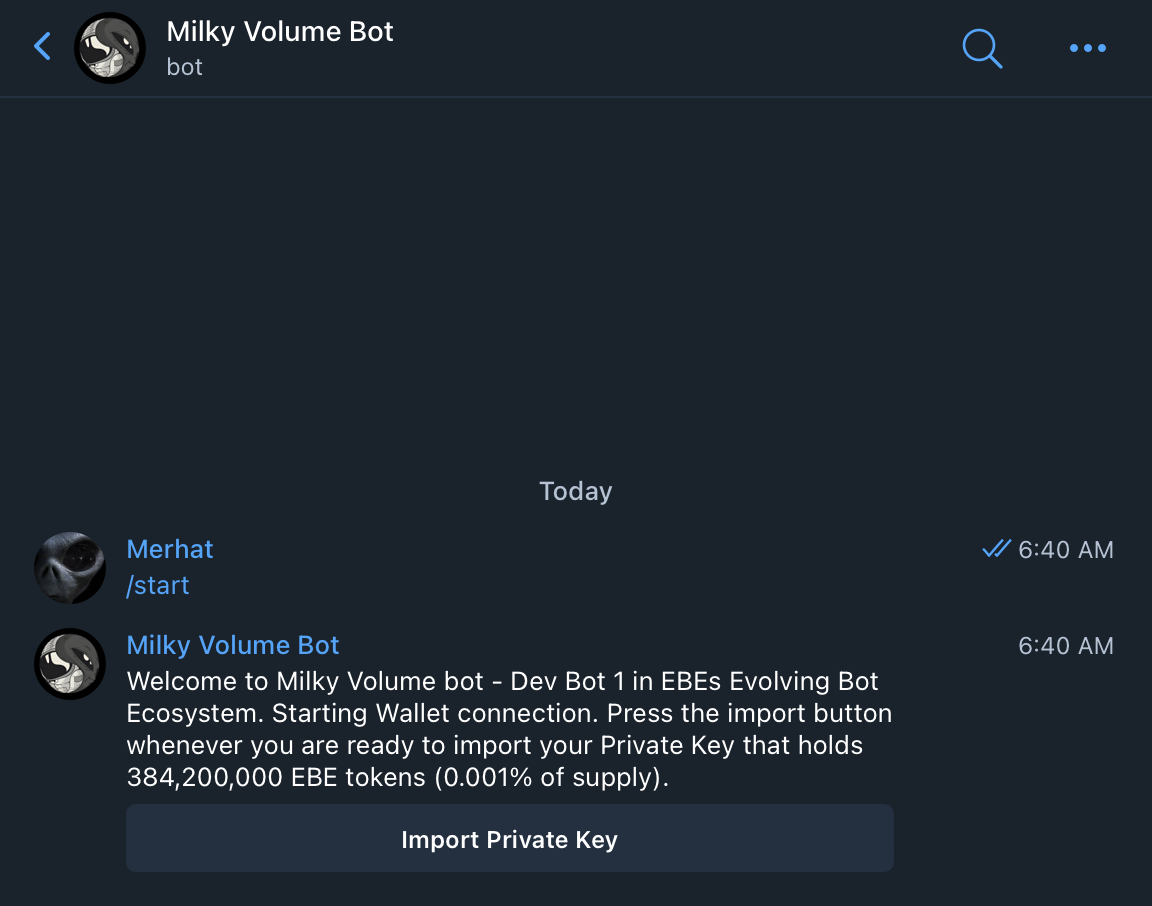
2. Type /start and import the private keys of the wallet holding a minimum of 384,200,000 EBE tokens and the dedicated amount of ETH you would like to use to increase the volume of your token of choice

<figure><img src="https://2107457992-files.gitbook.io/~/files/v0/b/gitbook-x-prod.appspot.com/o/spaces%2FWOC8vLEj9eoKylJJv8ik%2Fuploads%2Fp435njhbaN1mfx21DGwR%2FScreenshot%202023-09-20%20at%206.47.08%20AM.png?alt=media&#x26;token=18ec0d85-f15e-41e9-b236-d21d95dde879" alt=""><figcaption></figcaption></figure>

3. Once your Private Keys are entered and your wallet is set, you will see the following prompt:

<figure><img src="https://2107457992-files.gitbook.io/~/files/v0/b/gitbook-x-prod.appspot.com/o/spaces%2FWOC8vLEj9eoKylJJv8ik%2Fuploads%2F8sZD8F0LxracASMOSSUB%2FScreenshot%202023-09-20%20at%206.49.47%20AM.png?alt=media&#x26;token=02c7ea48-9aaa-4264-97f2-7291fa7bdeee" alt=""><figcaption></figcaption></figure>

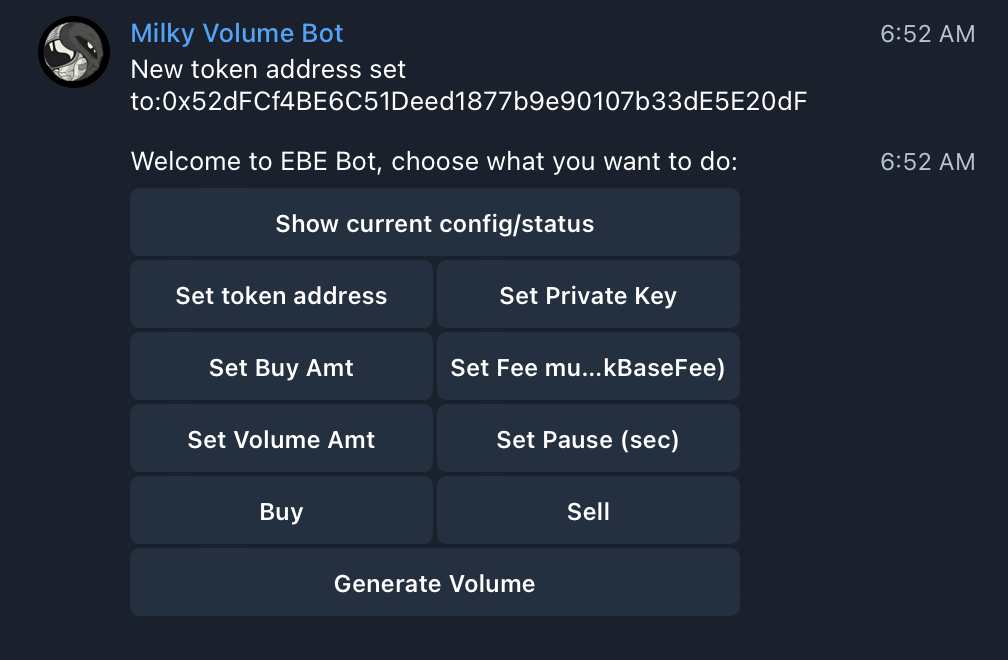
4. Set the token address of your desired token you would like to increase volume on:

<figure><img src="https://2107457992-files.gitbook.io/~/files/v0/b/gitbook-x-prod.appspot.com/o/spaces%2FWOC8vLEj9eoKylJJv8ik%2Fuploads%2F5czcZQ96YBVyZZ6NTxZt%2FScreenshot%202023-09-20%20at%206.53.14%20AM.png?alt=media&#x26;token=c253b622-be9f-46df-a75e-7680a4a2a239" alt=""><figcaption></figcaption></figure>

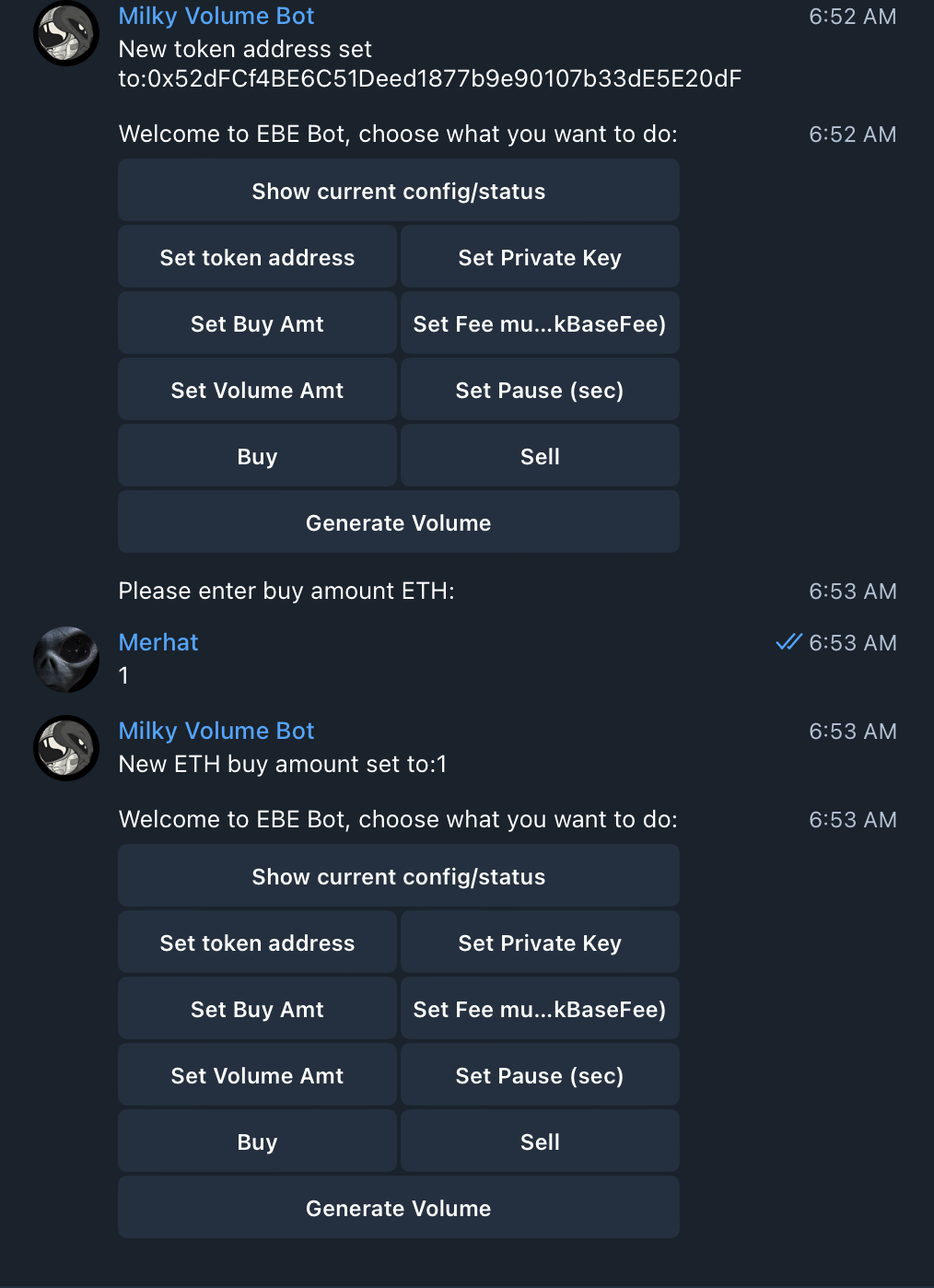
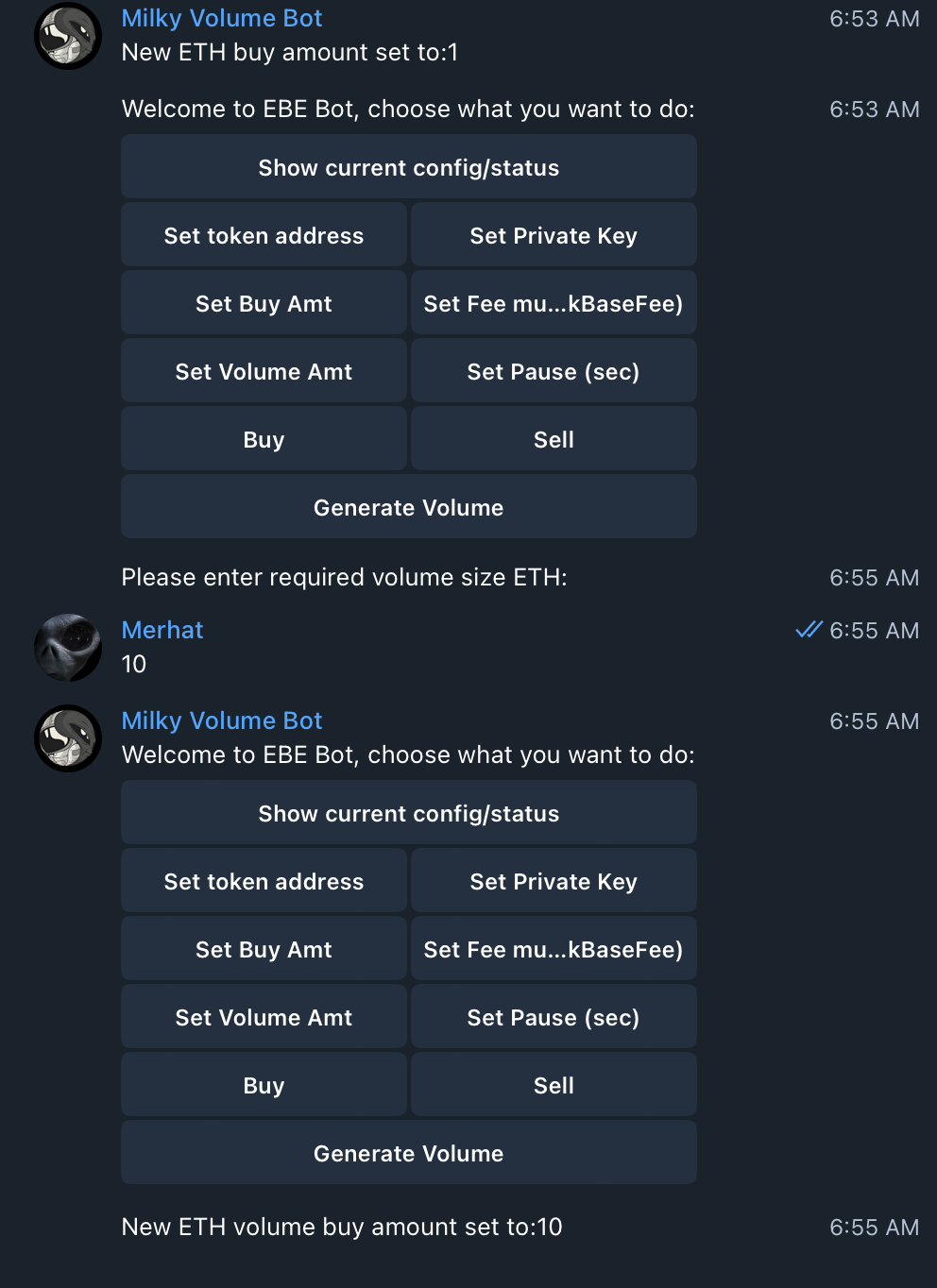
5. Set the Buy Amt in ETH you would like the bot to buy and sell with:

<figure><img src="https://2107457992-files.gitbook.io/~/files/v0/b/gitbook-x-prod.appspot.com/o/spaces%2FWOC8vLEj9eoKylJJv8ik%2Fuploads%2F2GHv7dDJE4zqn3UxiCIp%2FScreenshot%202023-09-20%20at%206.54.04%20AM.png?alt=media&#x26;token=3e072971-f0c4-4580-ba5b-cf49f7070424" alt=""><figcaption></figcaption></figure>

6. Set the total Volume Amt in ETH you would like the bot to achieve:

<figure><img src="https://2107457992-files.gitbook.io/~/files/v0/b/gitbook-x-prod.appspot.com/o/spaces%2FWOC8vLEj9eoKylJJv8ik%2Fuploads%2FP7DJrJ1gmh3VGj1Vs0ck%2FScreenshot%202023-09-20%20at%206.55.17%20AM.png?alt=media&#x26;token=5210a3fd-328b-4a2a-8b95-8a191a30f752" alt=""><figcaption></figcaption></figure>

7. Set the fee multiplier. This will multiply whatever the current gas fee is by your designated amount, ensuring your transaction will always go through:

<figure><img src="https://2107457992-files.gitbook.io/~/files/v0/b/gitbook-x-prod.appspot.com/o/spaces%2FWOC8vLEj9eoKylJJv8ik%2Fuploads%2FhFQJHN1Kl1ukm2vXwrtZ%2FScreenshot%202023-09-20%20at%206.57.36%20AM.png?alt=media&#x26;token=391e5c68-3dce-4899-bd51-e3c1c8ff0474" alt=""><figcaption></figcaption></figure>

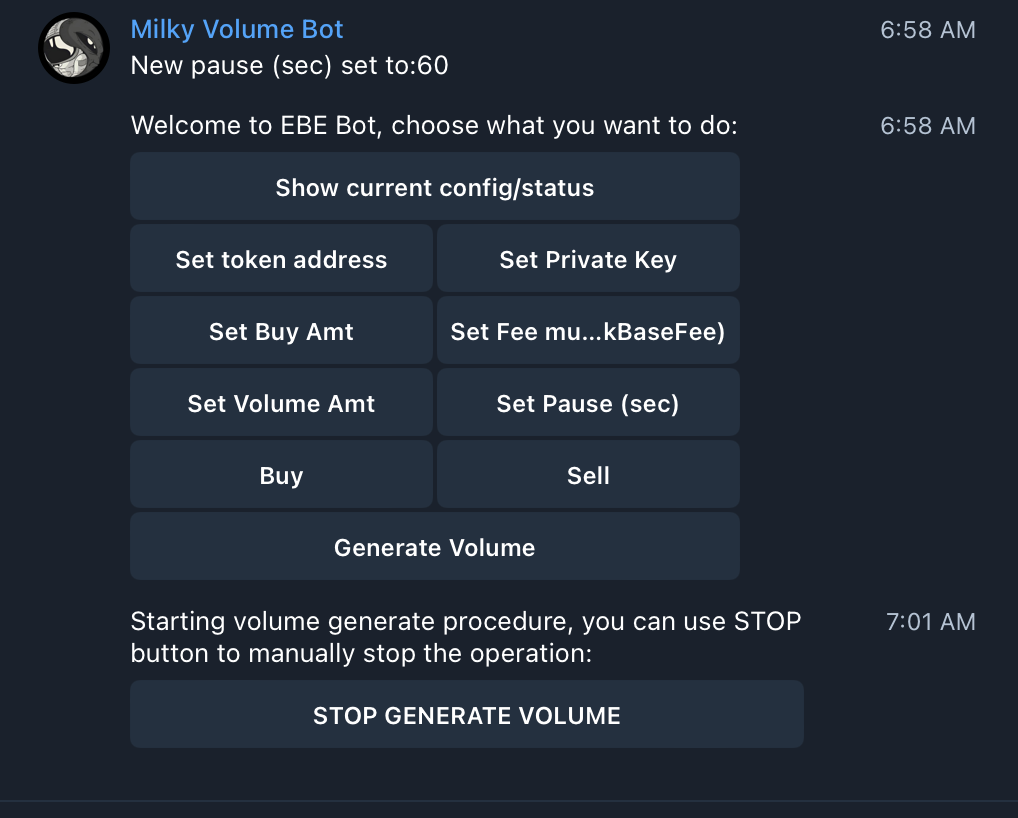
8. Set Pause (in seconds) for how long you want the bot to pause for in between each buy/sell of the token:

<figure><img src="https://2107457992-files.gitbook.io/~/files/v0/b/gitbook-x-prod.appspot.com/o/spaces%2FWOC8vLEj9eoKylJJv8ik%2Fuploads%2FWjPfR3d03cssYgTwNcqC%2FScreenshot%202023-09-20%20at%206.58.48%20AM.png?alt=media&#x26;token=c0861aec-0d00-4ba9-af17-d9cb63acc390" alt=""><figcaption></figcaption></figure>

9. That's it! You are ready to generate volume on your token! Click Generate Volume to begin!

<figure><img src="https://2107457992-files.gitbook.io/~/files/v0/b/gitbook-x-prod.appspot.com/o/spaces%2FWOC8vLEj9eoKylJJv8ik%2Fuploads%2FsYgDcvWSJjl5kndEvDxe%2FScreenshot%202023-09-20%20at%207.01.18%20AM.png?alt=media&#x26;token=217b329b-9b19-4784-b501-04d347500ee8" alt=""><figcaption></figcaption></figure>


---

# Agent Instructions: Querying This Documentation

If you need additional information that is not directly available in this page, you can query the documentation dynamically by asking a question.

Perform an HTTP GET request on the current page URL with the `ask` query parameter:

```
GET https://ebetokens-organization.gitbook.io/ebe-evolving-bot-ecosystem/developers/bot-1-milky-volume-bot/using-the-bot.md?ask=<question>
```

The question should be specific, self-contained, and written in natural language.
The response will contain a direct answer to the question and relevant excerpts and sources from the documentation.

Use this mechanism when the answer is not explicitly present in the current page, you need clarification or additional context, or you want to retrieve related documentation sections.